
Video Candy: Your Free & Easy Online Video Editor
Video EditingDescription
Video Candy provides you with a video editor and an impressive number of other online video editing tools: merge videos, compress, trim, etc. Free of charge.
Website Preview
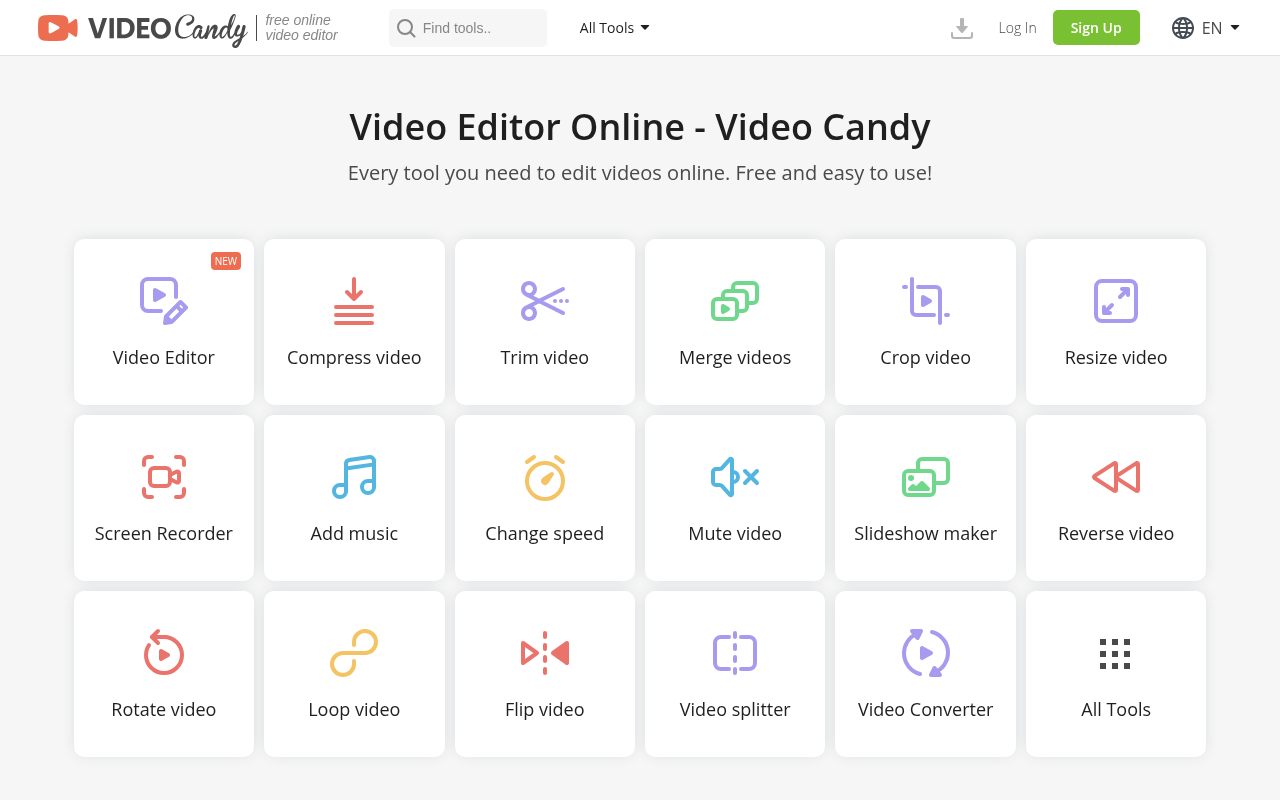
Click to view full size
About This Website
Video Candy: Edit Videos Online, No Cost Required
Video Candy is a free, online video editing tool designed to make video editing accessible to everyone, regardless of their experience level. It provides a suite of tools for basic video editing tasks directly in your web browser, eliminating the need for expensive software or complicated installations. Perfect for social media enthusiasts, marketers, educators, and anyone needing quick video touch-ups, Video Candy offers a user-friendly solution for enhancing and preparing videos for various platforms. Its cross-platform advantage means you can use it on any device with a web browser, be it a computer, tablet, or smartphone.
Key Features
Video Candy packs a punch with its variety of features:
- Video Compression: Reduce video file sizes without significantly compromising quality, making them easier to share and upload.
- Video Conversion: Convert videos between different formats (e.g., MP4, MOV, AVI) to ensure compatibility with various devices and platforms.
- Video Trimming: Cut unwanted parts from your videos to create shorter, more engaging clips.
- Video Merging: Combine multiple video clips into a single seamless video.
Pros & Cons
| Pros | Cons |
|---|---|
| ✓ Completely free to use | ✗ Limited advanced editing features |
| ✓ Easy to use interface ideal for beginners | ✗ Requires a stable internet connection |
| ✓ No software installation required; works directly in your browser | ✗ May have limitations on file size or processing time for large files |
| ✓ Offers a wide range of basic video editing tools | ✗ Ad support may be present. |
Who is Using Video Candy?
Video Candy appeals to a diverse user base. Typical users include:
- Social Media Creators: Quickly edit videos for platforms like TikTok, Instagram, and YouTube.
- Marketing Professionals: Create short promotional videos and social media ads.
- Educators: Prepare video lessons and educational content.
- Small Business Owners: Produce product demos and customer testimonials.
Less common, but still valuable, use cases include:
- Journalists: Edit footage in the field for quick news updates.
- Real Estate Agents: Create virtual tours of properties.
Pricing
Video Candy is completely free to use. There are no hidden fees or subscriptions required. This makes it a very attractive option for users on a budget or those who only need to edit videos occasionally.
Disclaimer: Pricing may change. Always refer to the official Video Candy website for the most up-to-date information.
What Makes Video Candy Unique?
Video Candy distinguishes itself with its sheer accessibility. Being fully browser-based and free removes significant barriers to entry for many aspiring video editors. While it might lack the advanced features of paid software, its simplicity, ease of use, and comprehensive set of basic tools fill a crucial gap in the market.
How We Rated It
Here's how we assessed Video Candy:
- Accuracy and Reliability: 4/5
- Ease of Use: 5/5
- Functionality and Features: 3/5
- Performance and Speed: 4/5
- Customization and Flexibility: 2/5
- Data Privacy and Security: 4/5
- Support and Resources: 3/5
- Cost-Efficiency: 5/5
- Integration Capabilities: 2/5
- Overall Score: 4/5
Summary
Video Candy is an excellent choice for anyone seeking a simple, free, and convenient way to edit videos online. Its ease of use and broad selection of basic tools make it particularly well-suited for beginners, social media creators, and educators. While it may not offer the advanced capabilities of professional video editing software, its accessibility and cost-effectiveness make it a standout AI tool in its category.
Similar Tools
Generate social media videos in 2 minutes with your AI Avatar
Highest Quality AI Video Face Swap Online, Anyone Can Swap Face For Photos, Vide...
Wondershare UniConverter 16 enables you to experience an ultra-high-speed video ...
AutoCut is a Premiere Pro & DaVinci Resolve plugin using AI to add animated subt...
Featured Links
Unlock back-tested predictive leading trading indicators on real-time charts. Tr...