
VEED.IO Review: Supercharge Your Videos with AI
Video EditingDescription
Free AI video editor with text to video, avatars, auto-subtitles, voice translations and more. Record, edit and share your videos online with VEED.
Website Preview
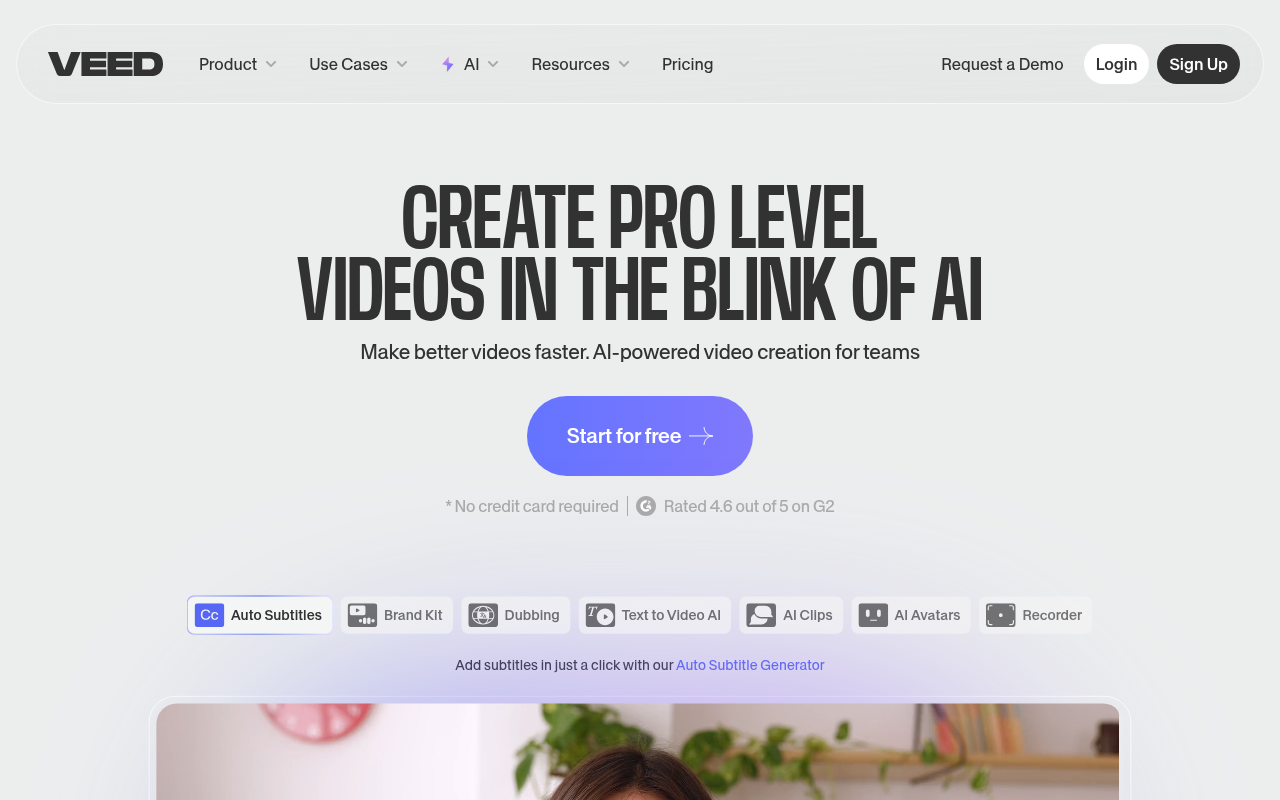
Click to view full size
About This Website
VEED.IO: AI-Powered Video Editing for Everyone
VEED.IO is an online AI video editor designed to make video creation accessible to users of all skill levels. It empowers individuals and businesses to easily record, edit, and share high-quality videos directly from their browsers. With its suite of AI-driven features, cross-platform compatibility, and intuitive interface, VEED.IO dramatically simplifies the video editing process. It's a great tool for marketers, educators, content creators, and anyone looking to create engaging video content quickly and effectively, no matter what device they are using be it a PC, Mac, tablet or phone.
Key Features
- AI-Powered Subtitling & Translation: VEED.IO automatically generates subtitles for your videos in multiple languages, using AI to ensure accuracy and save you hours of manual transcription. Translate your videos for a global audience with accurate and automatically generated translations.
- Text-to-Video: Convert written text into engaging video content instantly. Simply input your text, select from a range of templates and styles, and VEED.IO’s AI will create a professional-looking video for you.
- AI Avatars: Create engaging videos without being on camera! VEED.IO's AI avatars read your script allowing you to create training videos, marketing content, and more without showing your face.
- Screen & Webcam Recording: Easily record your screen, webcam, or both simultaneously directly within VEED.IO. This built-in recording feature simplifies the process of creating tutorials, presentations, and reaction videos.
- Magic Cut: Automatically identify the best moments in your footage, and create engaging short clips instantly. Great for social media content.
Pros & Cons
| Pros | Cons |
|---|---|
| ✓ User-friendly interface | ✗ Limited features in the free plan |
| ✓ AI-powered automation saves time | ✗ Watermark on videos in free plan |
| ✓ Cross-platform accessibility | ✗ Reliance on internet connection |
| ✓ Versatile for various video projects | ✗ Can be slow with very large files |
Who is Using VEED.IO
- Marketing Professionals: Creating promotional videos, social media ads, and product demos.
- Educators: Designing online courses, tutorials, and educational content.
- Content Creators: Producing engaging videos for YouTube, TikTok, Instagram, and other platforms.
- Businesses: Making internal training videos, presentations, and communication materials.
- Uncommon Use Case: Musicians creating visualizers for their songs, or therapists using AI avatars to assist in role-playing scenarios within therapy sessions.
Pricing
VEED.IO offers a range of pricing plans to suit different needs:
- Free: Limited features, watermarked videos.
- Basic: $12/month (billed annually) - includes more storage and features, removes watermark.
- Pro: $24/month (billed annually) - increased limits for features, brand kit.
- Business: $59/month (billed annually) - best for teams.
Disclaimer: Please note that pricing is subject to change. It's always best to check the VEED.IO website for the most up-to-date information.
What Makes VEED.IO Unique?
VEED.IO distinguishes itself from other video editors with its seamless blend of AI-powered features and a user-friendly interface. While many advanced video editing tools require significant technical expertise, VEED.IO simplifies the process, making it accessible to anyone. Its focus on automation, such as automatic subtitling and text-to-video, significantly speeds up video creation, making it a standout choice for users looking to produce high-quality content efficiently. It's also unique in being a fully browser-based solution, removing the need for expensive hardware and software installations.
How We Rated It
- Accuracy and Reliability: 4/5
- Ease of Use: 5/5
- Functionality and Features: 4/5
- Performance and Speed: 4/5
- Customization and Flexibility: 3.5/5
- Data Privacy and Security: 4/5
- Support and Resources: 4/5
- Cost-Efficiency: 4/5
- Integration Capabilities: 3/5
- Overall Score: 4/5
Summary
VEED.IO is a powerful and accessible AI video editor perfect for anyone who wants to create professional-looking videos quickly and easily. Its intuitive interface, AI-powered features, and browser-based accessibility make it a standout tool for marketers, educators, content creators, and businesses of all sizes. If you're looking for a user-friendly video editor that automates key tasks and helps you create engaging content efficiently, VEED.IO is an excellent choice.
Similar Tools
Generate social media videos in 2 minutes with your AI Avatar
Highest Quality AI Video Face Swap Online, Anyone Can Swap Face For Photos, Vide...
Wondershare UniConverter 16 enables you to experience an ultra-high-speed video ...
AutoCut is a Premiere Pro & DaVinci Resolve plugin using AI to add animated subt...
Featured Links
Unlock back-tested predictive leading trading indicators on real-time charts. Tr...