
Filmora: Your AI-Powered Video Editing Solution for Stunning Results
Video EditingDescription
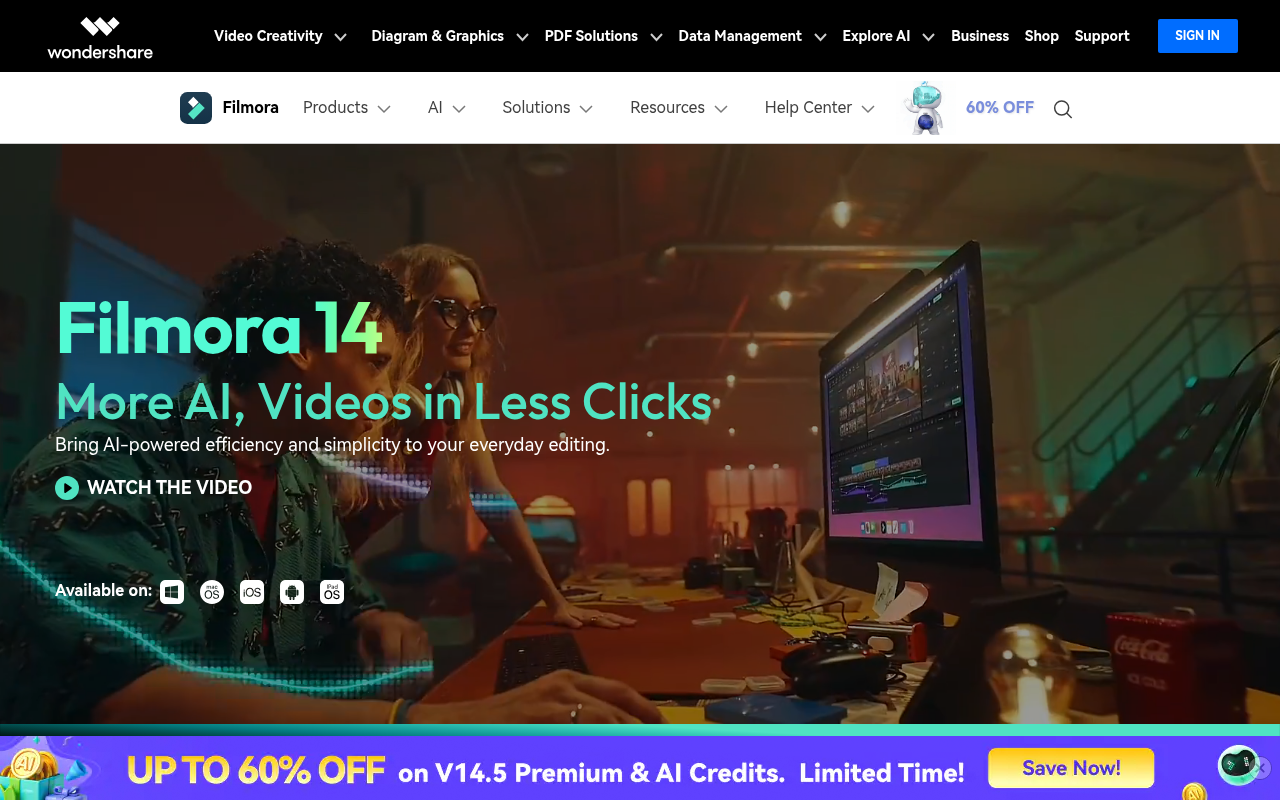
Enjoy Smart Short Clips, AI video enhancer, and a vast library of creative assets in Filmora AI video editor, making video creation easy for all skill levels.
Website Preview
Click to view full size
About This Website
Wondershare Filmora: Unleash Your Creativity with AI
Wondershare Filmora is a user-friendly AI video editor designed to empower creators of all skill levels. Whether you're a seasoned professional or just starting out, Filmora offers a powerful suite of tools enhanced by artificial intelligence to help you craft compelling videos with ease. Its purpose is to simplify the video editing process, making it accessible and enjoyable for anyone to tell their story through video. Filmora's AI-powered capabilities extend to various aspects of video creation, from intelligent scene detection to automated object removal, saving users time and effort. It targets a broad audience, including YouTubers, social media influencers, educators, marketers, and anyone who wants to create engaging video content. Filmora boasts cross-platform advantages by providing access to both desktop and mobile versions for editing on the go.
Key Features
- AI Smart Cut: This feature intelligently analyzes your video footage and identifies key moments, allowing you to quickly create engaging short clips perfect for social media or promotional materials.
- AI Portrait: Filmora's AI Portrait feature allows you to easily remove or change backgrounds, add creative effects to your subjects, and enhance their overall appearance.
- AI Audio Denoise: Remove unwanted background noise from your audio tracks with the AI Audio Denoise feature to ensure crystal-clear sound even in noisy environments.
- Auto Reframe: Automatically adjust the videos aspect ratio to any aspect ratio like 1:1, 9:16, 16:9 etc for various social media platform by it self.
Pros & Cons
| Pros | Cons |
|---|---|
| ✓ User-friendly interface, easy to learn and use. | ✗ Some advanced features may require a paid subscription. |
| ✓ Powerful AI-powered features for efficient editing. | ✗ Can be resource-intensive on older or less powerful computers. |
| ✓ Extensive library of effects, transitions, and assets. | ✗ Watermark on videos created with the free version. |
| ✓ Cross-platform compatibility (desktop and mobile). |
Who is Using Filmora?
Filmora is used by a diverse range of individuals and organizations. Typical users include:
- YouTubers and Content Creators: For creating engaging videos for their channels.
- Social Media Influencers: For producing short, attention-grabbing content for platforms like TikTok and Instagram.
- Educators: For creating instructional videos and online courses.
- Marketers: For developing promotional videos and marketing campaigns.
Creative use cases include artists creating visual art installations, therapists using video for patient education, and families documenting life events with cinematic flair.
Pricing
Filmora offers various pricing plans, including a free version with limited features and a watermark. Paid subscription plans provide access to all features, remove the watermark, and grant access to additional resources. Plans vary depending on the length of subscription (monthly, annual, or perpetual). The exact pricing can vary, so it's always best to check the Filmora website for the most up-to-date information. Pricing may change.
What Makes Filmora Unique?
Filmora stands out due to its blend of powerful AI features and user-friendly interface. Its focus on simplifying complex editing tasks, combined with its extensive library of effects and assets, makes it a compelling option for both beginners and experienced video editors. The AI-powered tools, like the AI Portrait and smart cut tools, automate time-consuming processes, allowing users to focus on their creative vision.
How We Rated It
- Accuracy and Reliability: 4/5
- Ease of Use: 5/5
- Functionality and Features: 4/5
- Performance and Speed: 4/5
- Customization and Flexibility: 3.5/5
- Data Privacy and Security: 4/5
- Support and Resources: 4/5
- Cost-Efficiency: 4/5
- Integration Capabilities: 3/5
- Overall Score: 4/5
Summary
Filmora is an excellent choice for anyone looking for a powerful yet accessible video editing tool. Its AI-powered features, user-friendly interface, and extensive library of resources make it a standout option in its category. It particularly benefits YouTubers, social media influencers, educators, and marketers who need to create engaging video content quickly and efficiently.
Similar Tools
Generate social media videos in 2 minutes with your AI Avatar
Highest Quality AI Video Face Swap Online, Anyone Can Swap Face For Photos, Vide...
Wondershare UniConverter 16 enables you to experience an ultra-high-speed video ...
AutoCut is a Premiere Pro & DaVinci Resolve plugin using AI to add animated subt...
Featured Links
Unlock back-tested predictive leading trading indicators on real-time charts. Tr...